%20(1).svg)
.png)

We’ve added configurable reboot conditions for RAUC image updates, giving administrators greater control over when devices restart after a bundle installation.
Previously, devices rebooted automatically after installation. Now you can optionally define a shell expression that determines whether a reboot should occur.
If the expression exits successfully with exit code 0, the device reboots. If no expression is configured, Qbee retains the previous automatic reboot behavior, ensuring full backward compatibility.
A common use case is to install an update immediately, but postpone the reboot until the application reaches a safe or idle state.
For this workflow, we recommend using RAUC streaming by leaving Download RAUC bundle unchecked and configuring a reboot condition that prevents the automatic reboot
Qbee can then install the RAUC image to the inactive partition without interrupting the currently running system.
The flow becomes:
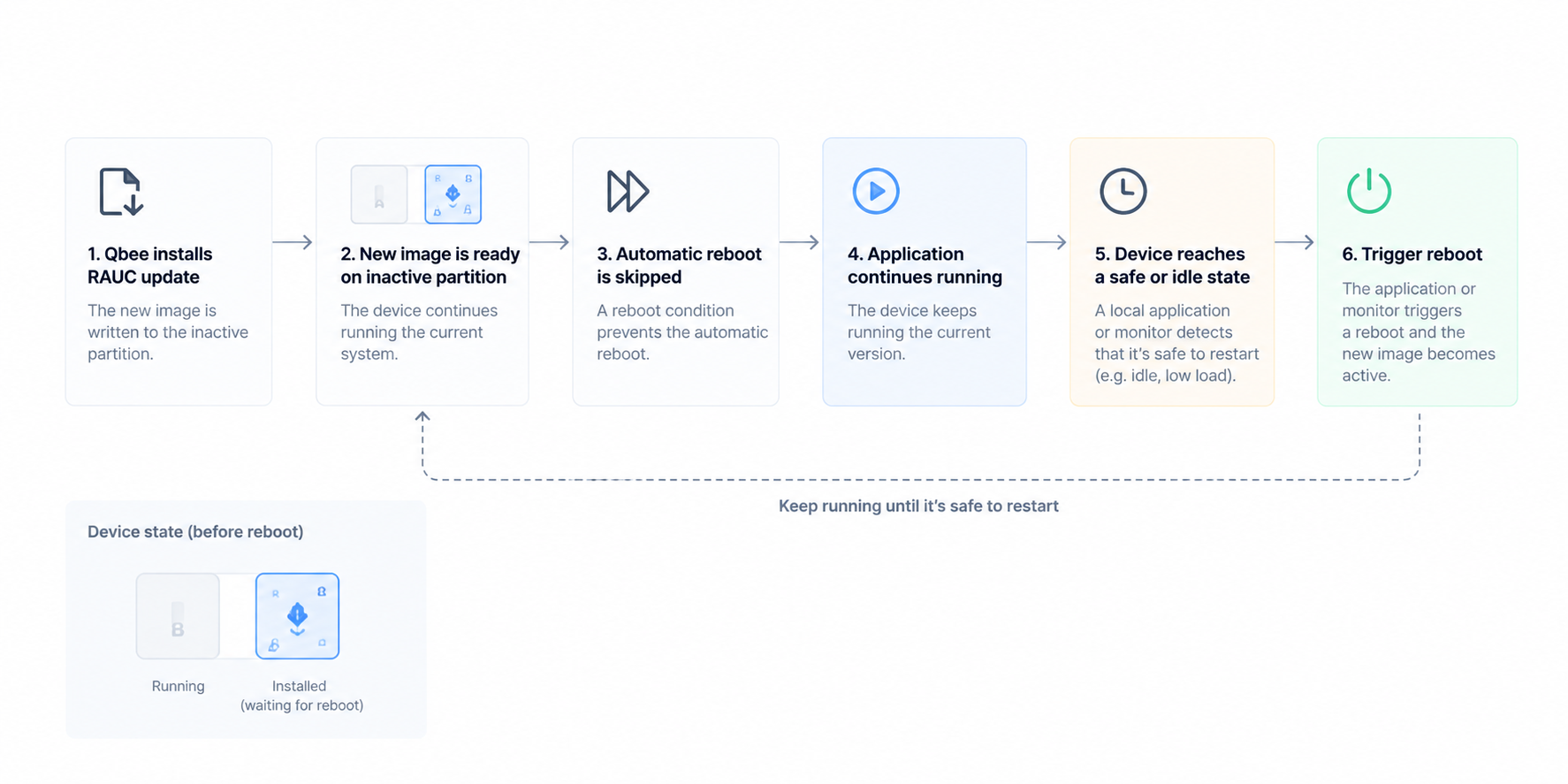
This is useful when the device itself has better knowledge of when it is safe to restart—for example, when a machine needs to finish an active job, a production process must stop first, or a device can only restart during a specific operational window.
Reboot conditions control what happens after the RAUC image has been installed. Qbee pre-conditions let you control whether the installation should start at all.
A pre-condition is evaluated by qbee-agent before the update is applied. If the condition is not satisfied, the update is postponed and evaluated again on a later agent run.
This makes pre-conditions useful for adding device-side rollout logic such as:
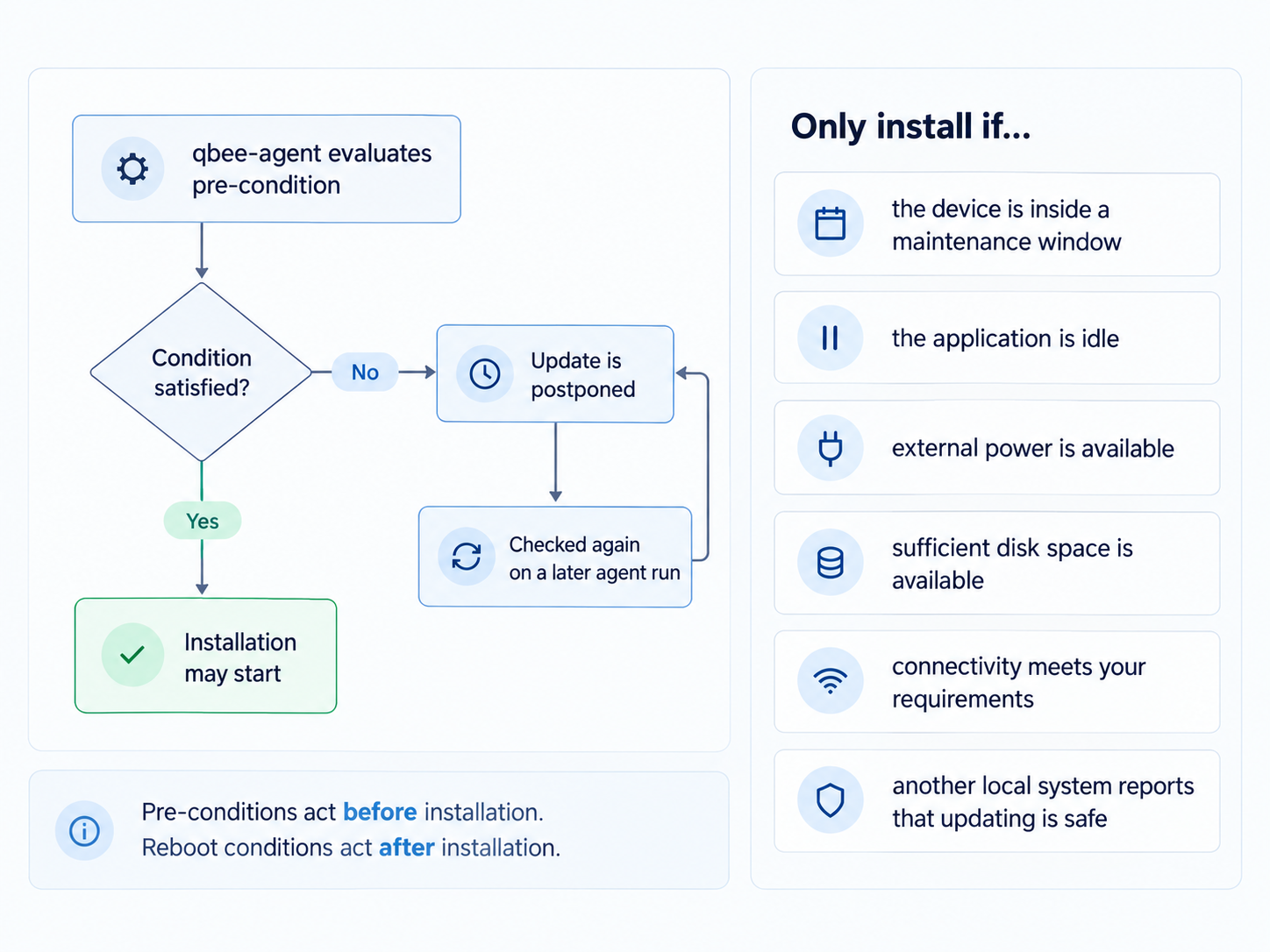
For example, an update could be restricted to a nightly maintenance window:
hour="$(date +%H)"[ "$hour" -ge 2 ] && [ "$hour" -lt 4 ]
Or installation could depend on application state:
test "$(cat /run/application-state)" = "idle"
Because the condition runs locally on the device, it can make use of state that the cloud platform may not know about.
Pre-condition scripts and other supporting device-side logic can also be deployed through Qbee's file distribution, keeping the rollout logic centrally managed alongside the rest of the device configuration.
Once the update has been installed without an automatic reboot, a local monitoring process can use RAUC itself to determine whether a new system is waiting to become active:
rauc status --output-format json-pretty 2> /dev/null
Two relevant fields are:
{
  "booted": "A",
  "boot_primary": "rootfs.1"
}
"booted" represents the system the device is currently running, while boot_primary points to the slot configured for the next boot.
One detail worth noting is that RAUC may use different identifiers for these values depending on how the slots and bootloader integration are configured. For example, booted may use a boot name such as A, while boot_primary refers to a RAUC slot such as rootfs.1.
The corresponding slot information provides the mapping:
rootfs.0 → bootname A → currently running
rootfs.1 → bootname B → next bootIn this case, the device is still running slot A, while slot B has been selected for the next boot. The new image is therefore installed and waiting for a reboot to become active.
A local monitor can use this state together with application-specific logic:
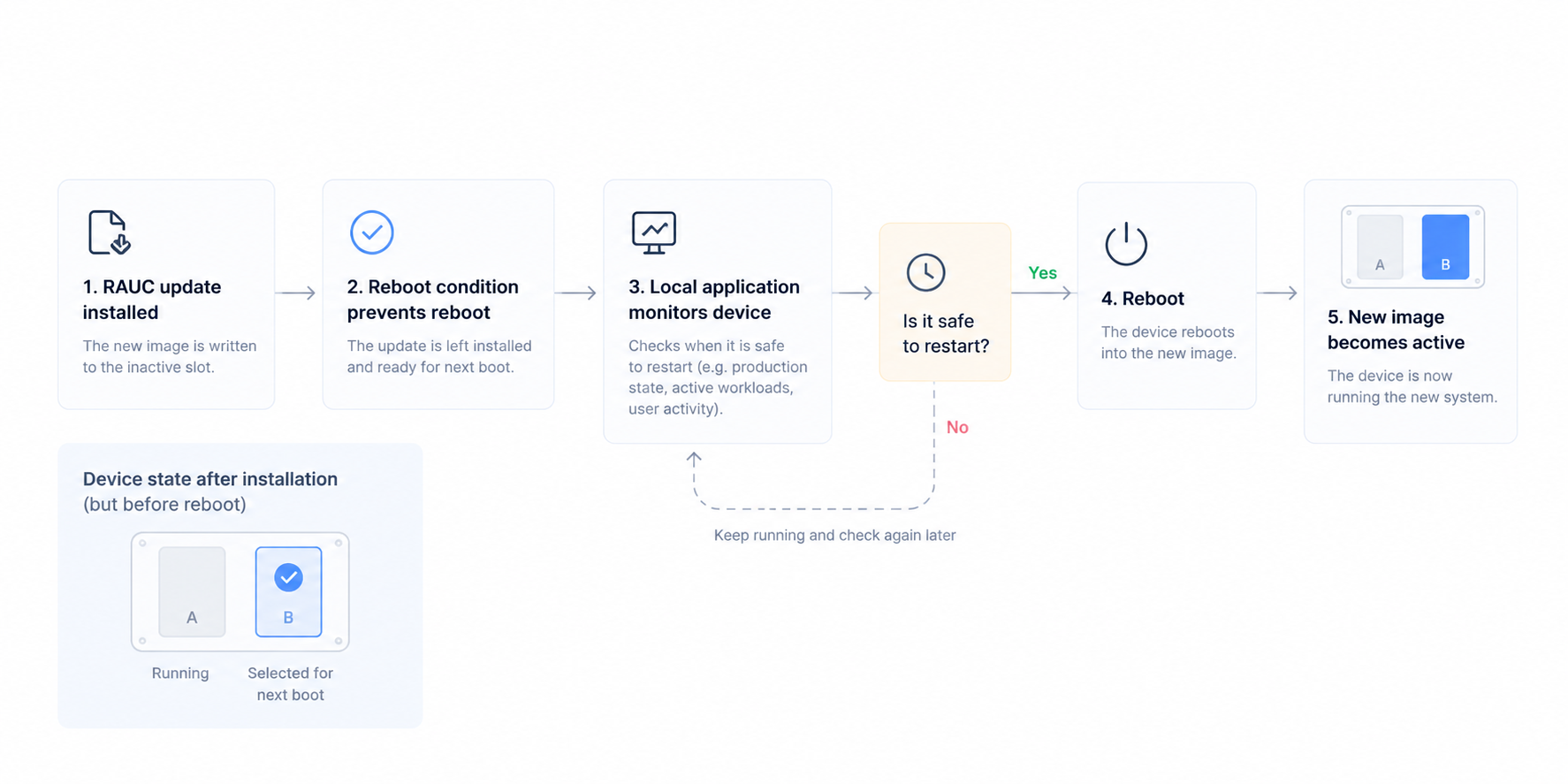
This allows Qbee to handle the generic deployment and RAUC installation process, while application-specific requirements, such as production state, machine safety, active workloads or user activity, remain within your own monitoring or control software.
For short delays, the reboot condition itself can also wait for the application to become idle before returning successfully. However, long-running conditions can eventually time out, so for devices where the safe reboot window may occur much later, letting a local monitor control the final reboot is the more robust approach.
Together, pre-conditions and reboot conditions allow you to separate rollout timing, installation and activation, while keeping device-specific operational logic where it belongs.
For a deeper implementation guide, see our documentation on OTA A/B updates with RAUC or the practical guide to Yocto OTA updates with Qbee and RAUC.