IoT as Code is the practice of managing a device fleet the way cloud teams manage infrastructure: as a declared state that is kept in version control and continuously enforced on every device.
In plain terms, you stop changing devices one at a time. You describe how every device should be configured, and software keeps each device that way.
A thermostat works on the same idea. You don't switch the heating on and off yourself. You set the temperature you want, and the thermostat keeps measuring and adjusting until the room matches. With IoT as Code, the description of the fleet is the setting, and an agent on each device does the measuring and adjusting. Engineers call the first part the desired state and the second continuous reconciliation.
In practice, it comes down to four principles:
Most device fleets are managed by action: an engineer opens an SSH session or runs a script, and something changes on the devices it reaches. That works for ten devices. It stops working somewhere on the way to a thousand.
Say a security fix has to reach 2,000 devices. The script reaches most of them. Some were offline and are missed. A few were changed by hand during an earlier support case, and the script behaves differently there. A month later a customer asks which of their devices have the fix, and finding out takes days, because the only record is a terminal history and what a few engineers remember.
The cause is the model. An action is performed once, and nothing records the intended result or checks that it still holds. Cloud teams had the same problem with hand-configured servers and solved it with Infrastructure as Code. IoT as Code brings that solution to devices.
Because the fleet is described in a repository, it gets the same safeguards as application code:
In Europe, that last point comes with a deadline. Since 11 September 2026, Article 14 of the EU Cyber Resilience Act requires manufacturers to send an early warning within 24 hours of becoming aware that a vulnerability in their product is being actively exploited, and a full notification within 72 hours. A team that has to work out by hand which devices are affected will struggle to meet that. Compliance remains the manufacturer's responsibility, but with IoT as Code the record of which device runs what already exists.
The workflow comes from Infrastructure as Code: definitions in Git, changes through pull requests, a pipeline that applies them. Devices add two constraints that cloud servers don't have.
A device can't be destroyed and recreated. A cloud server that misbehaves is replaced with a fresh one. A gateway in a customer's building is not. Changes are applied in place, so they need to be tested on a small group first and easy to reverse.
A device is not always reachable. A cloud API answers when the pipeline calls it. A device may be offline for hours or days, so the checking and correcting has to run on the device itself and keep working without a connection. This is why IoT as Code needs an agent as well as a pipeline.
The rest of this article shows the same ideas in code, using Qbee and its Terraform provider. If you are evaluating the approach and not implementing it yourself, you can skip ahead to Where to Start.
Suppose every production device needs a new application config. The imperative way is to script the steps and run them:
#!/bin/sh
# push-config.sh: copy the new config to every production device
for host in $(cat production-devices.txt); do
  scp configs/production/app.conf "root@${host}:/etc/app/app.conf"
done
The script runs once. A device that was offline never gets the file, and nothing notices if someone later edits it by hand.
The declarative way is to describe the result and leave the steps to software:
# The config file, uploaded to Qbee's file manager
resource "qbee_filemanager_file" "app_config" {
  path        = "/configs/production/app.conf"
  sourcefile  = "${path.module}/configs/production/app.conf"
  file_sha256 = filesha256("${path.module}/configs/production/app.conf")
}

# Desired state: every device tagged "production" has that file
resource "qbee_filedistribution" "app_config" {
  tag    = "production"
  extend = true
  files = [
    {
      templates = [
        {
          source      = qbee_filemanager_file.app_config.path
          destination = "/etc/app/app.conf"
          is_template = false
        }
      ]
    }
  ]
}
Nothing here says when to copy the file, in what order, or what to do about a device that is switched off. The definition states what should be true: every device tagged production has this file at this path. Making it true, and keeping it true, is left to the platform.
In Qbee, the agent pulls its configuration from the platform on every run, so devices need no open inbound ports. If a managed file, password or firewall rule is changed locally, the agent reverts it on the next run and logs the change. It keeps enforcing its configuration when the network is down, and a device that was offline picks up the current state when it reconnects.
Scripts still have a place. A declared configuration can run a command when a file changes, for example to restart a service. The script becomes one step inside a reviewed definition.
Here is how an update to that config file moves through the workflow. It starts as a pull request, and the reviewer sees it as a diff:
--- a/configs/staging/app.conf
+++ b/configs/staging/app.conf
@@ -1,2 +1,2 @@
 log_level=info
-app_version=1.0.0
+app_version=1.1.0
Have CI run terraform plan on every pull request, and the reviewer also sees which fleet resources the change would touch. Staging and production devices carry different tags and read their own copy of the file, so the change is applied to staging first:
configs/
  staging/app.conf        app_version=1.1.0
  production/app.conf     app_version=1.0.0   <- next pull request
Promoting it is a second pull request that makes the same change to the production file. Afterwards, the repository history shows what was changed and when:
$ git log --oneline -- configs/production/app.conf
9c1d4e7 Roll out app 1.1.0 to production (#42)
b7e03aa Set log_level to info (#37)
1a55f02 Add app config for production (#12)
If the new version causes problems, revert the commit and merge the revert like any other change:
$ git revert 9c1d4e7The pipeline applies the previous definition, and devices return to it on their next agent run. That includes devices that were offline when you reverted.
A scheduled terraform plan catches changes made outside the repository. If someone changed a setting by hand in the UI, the plan shows it, and you decide whether to keep the change in code or let the next terraform apply overwrite it.
You can adopt IoT as Code one configuration at a time:
terraform plan on every pull request and terraform apply on merge.You keep the architecture you have. The definitions describe what should run on your devices, on the hardware, Linux distribution and OTA update mechanism you already use.
IoT as Code is a practice, and you can adopt it with different tools. Terraform is one way to write the definitions. An API or a CLI works too.
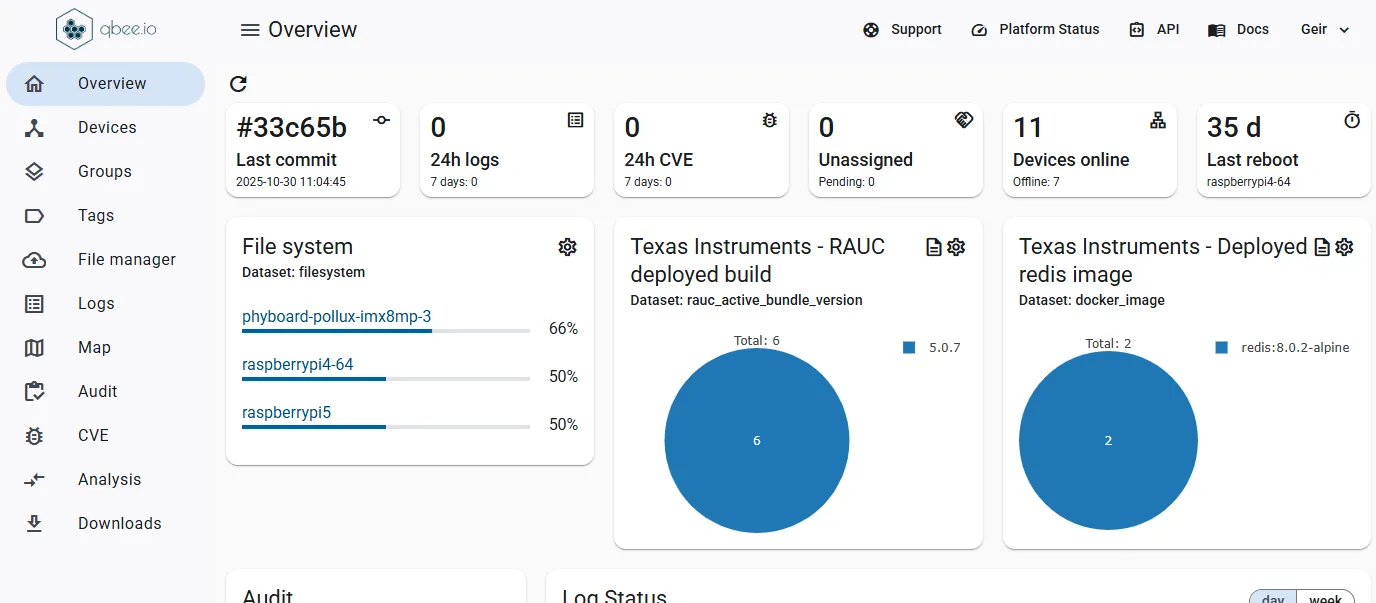
Qbee is built around this model. The open-source Qbee agent reconciles each device with its configuration. The platform organizes devices into groups and tags and works out which configuration applies to each device. The Qbee Terraform provider, with 20 resources, puts that configuration in Git and rolls it out through CI/CD. The REST API and qbee-cli do the same for teams that prefer them.
To try it on your own devices, start with the Terraform getting started guide, or see how Qbee brings DevOps workflows to physical devices. The Terraform provider and the REST API use API access, which is included from the Startup plan. The free plan, with up to 5 devices, lets you try the agent and the Qbee UI first.