%20(1).svg)
.png)

A successfully installed update can still leave a device stranded on old firmware. Imagine a device configured with a strict daily maintenance window between 22:00 and 23:00. To minimize downtime during operational hours, you allow the RAUC image to install early and set a reboot condition to permit restarts only inside that midnight window.
At first glance, this setup seems completely foolproof. However, when 22:00 arrives, the expected restart never occurs, and the system continues running the old software indefinitely.
Tracing the execution sequence reveals exactly why this silent stall happens:
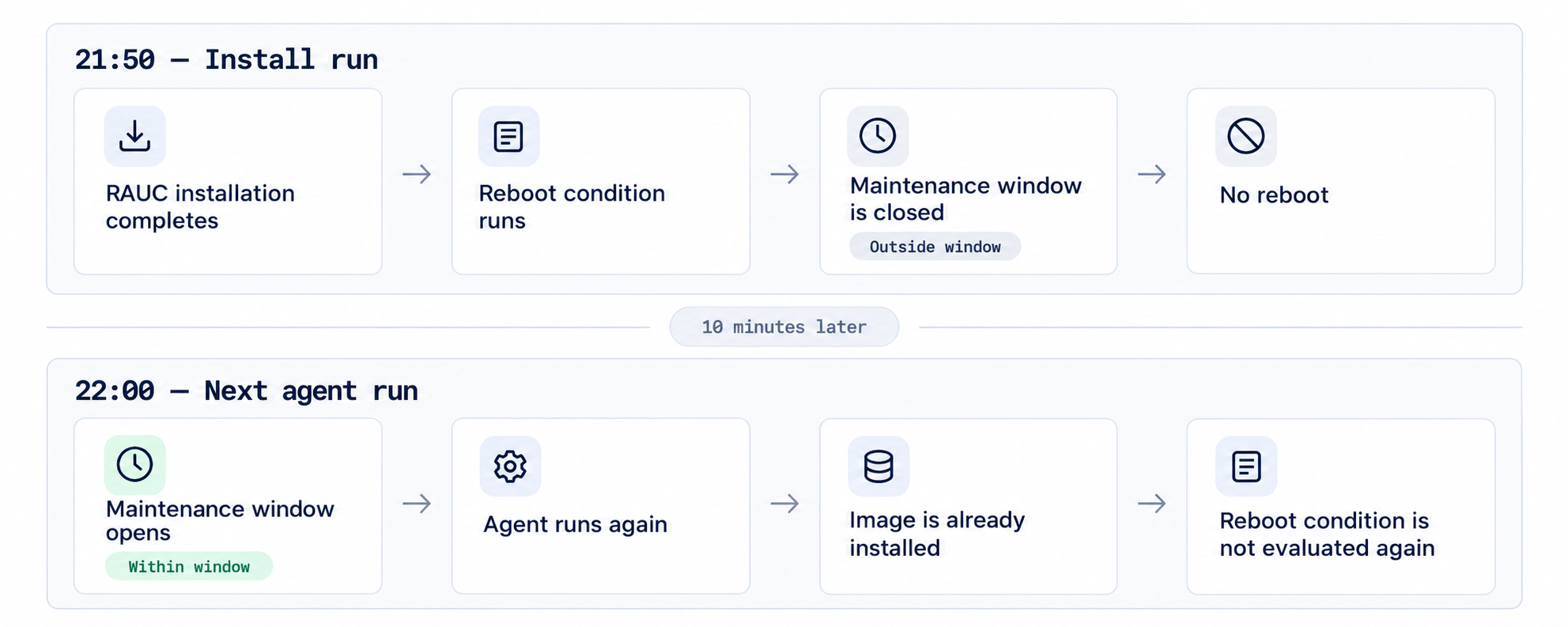
The time check worked correctly, but problem is where it sits in the update flow.
A condition can only make a decision when something actually evaluates it. If the system has already moved past that point, waiting for the condition to become true later changes nothing.
In a typical RAUC A/B setup, the running system stays on one slot while the new image is written to another.
That gives you at least three useful milestones:
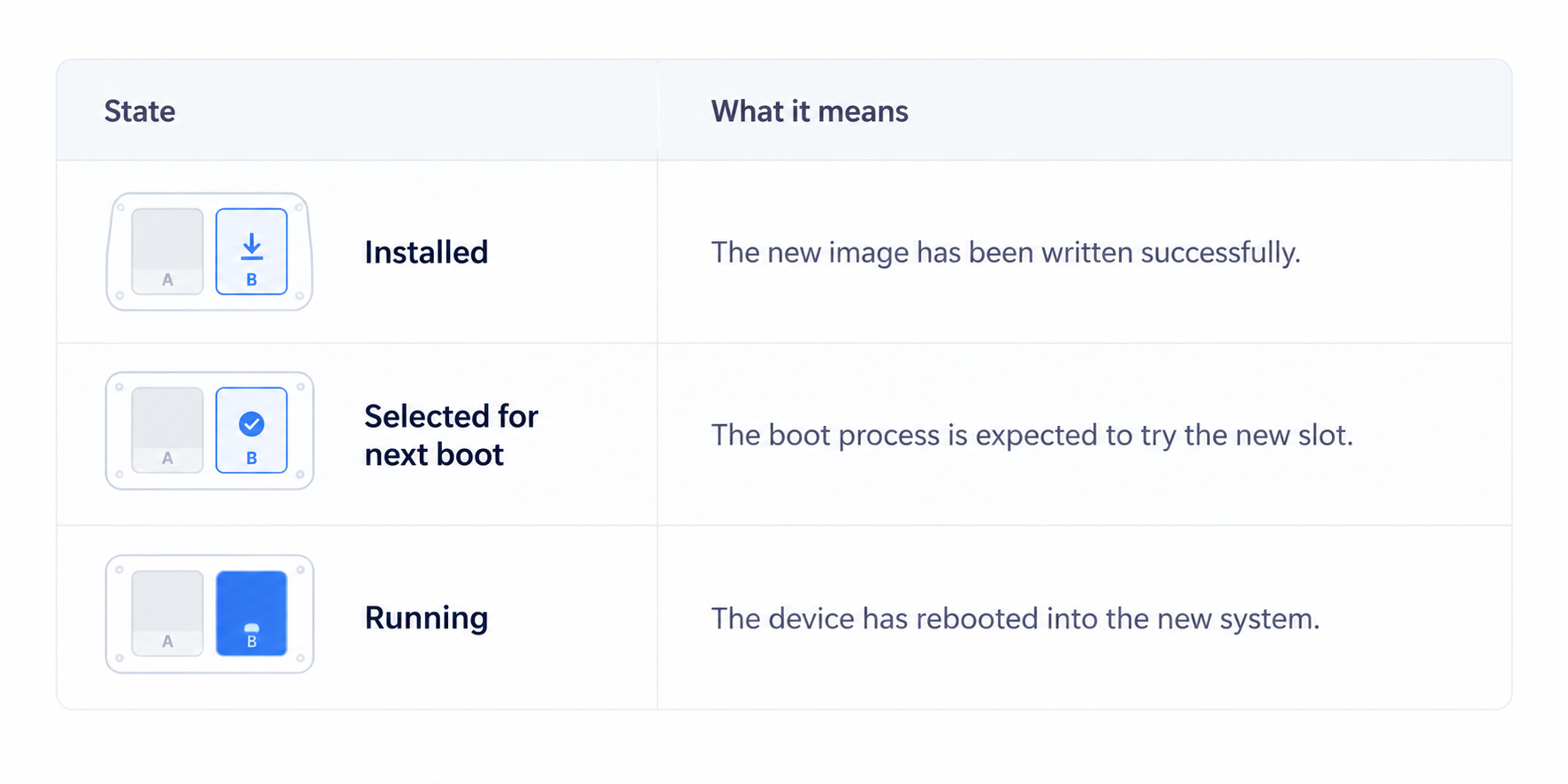
A device can therefore have a perfectly valid new image waiting on the inactive slot while continuing to run the previous version.
For maintenance windows, the interesting part is what controls the transition from installed to running.
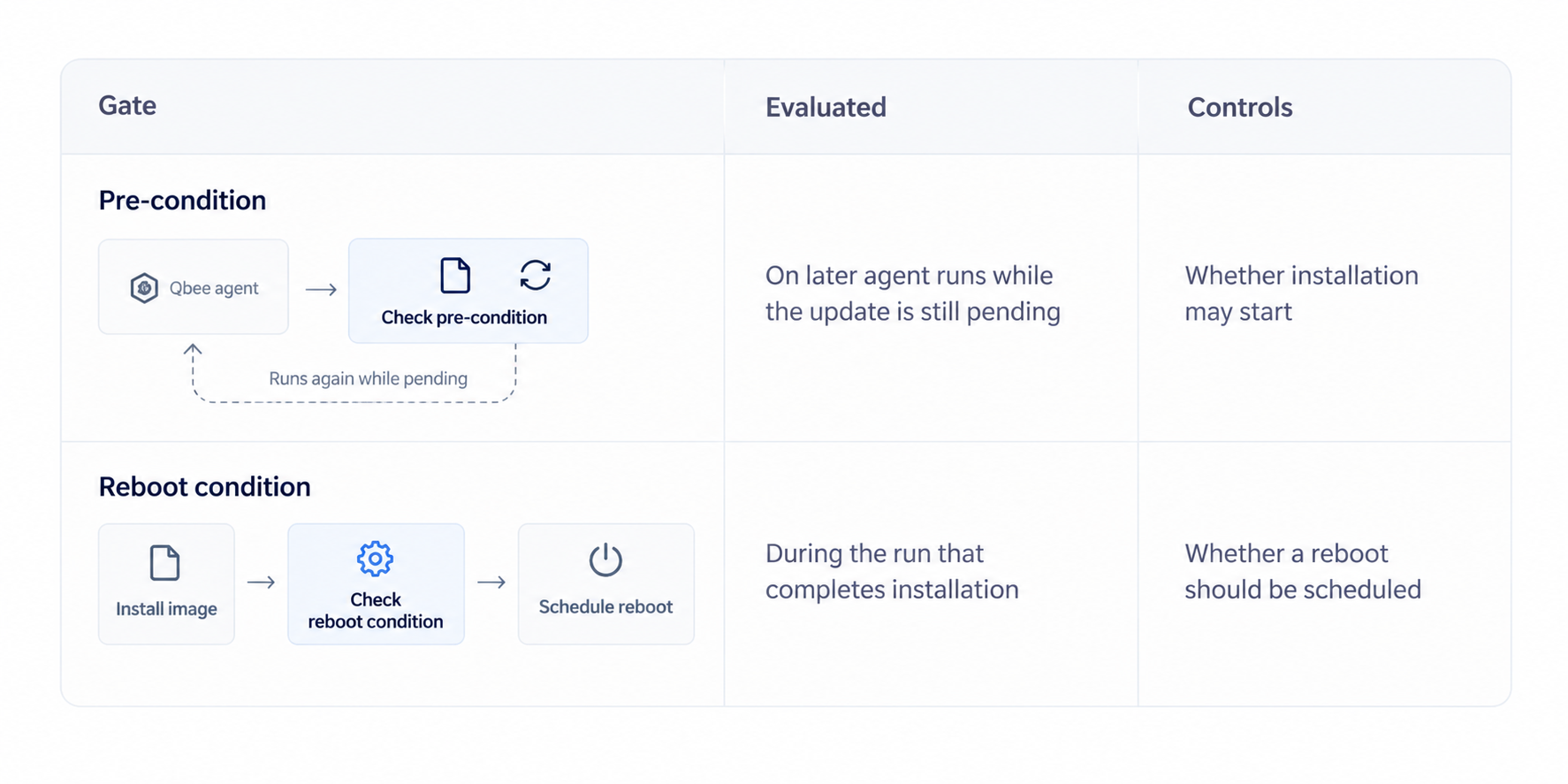
Qbee's RAUC integration has two different gates:
The Qbee RAUC documentation describes this behavior in detail.
The difference in configuration is minor, but the impact on behavior is significant. A failed pre-condition keeps the update pending, allowing the agent to reassess it later. Conversely, a failed reboot condition occurs after installation is complete.
During subsequent checks, the agent identifies that the image is already installed and bypasses the installation process. Thus, the reboot condition within that process is not re-evaluated.
If the requirement is:
Install and reboot during the maintenance window.
then the time-window logic belongs in the pre-condition.
For example, the device can return success only while the permitted period is open. Outside that period, the update remains pending and gets another opportunity on a later agent run.
Once the condition passes, installation can proceed and the normal reboot behavior can follow.
This also works for local device state. A machine might only permit the update when production is stopped, external power is available or the application reports that it is idle.
The important property is that the gate remains part of a workflow that has not completed yet.
There is also a perfectly valid reason to do the opposite. You may want to install the image earlier so that the maintenance window only contains the reboot and startup time. In that design, staging and activation are deliberately separate.
At Qbee, a reboot condition can prevent the automatic reboot after installation. The new image can then remain ready for the next boot. What the reboot condition does not create is a scheduled reboot for later. Something else must own that action:
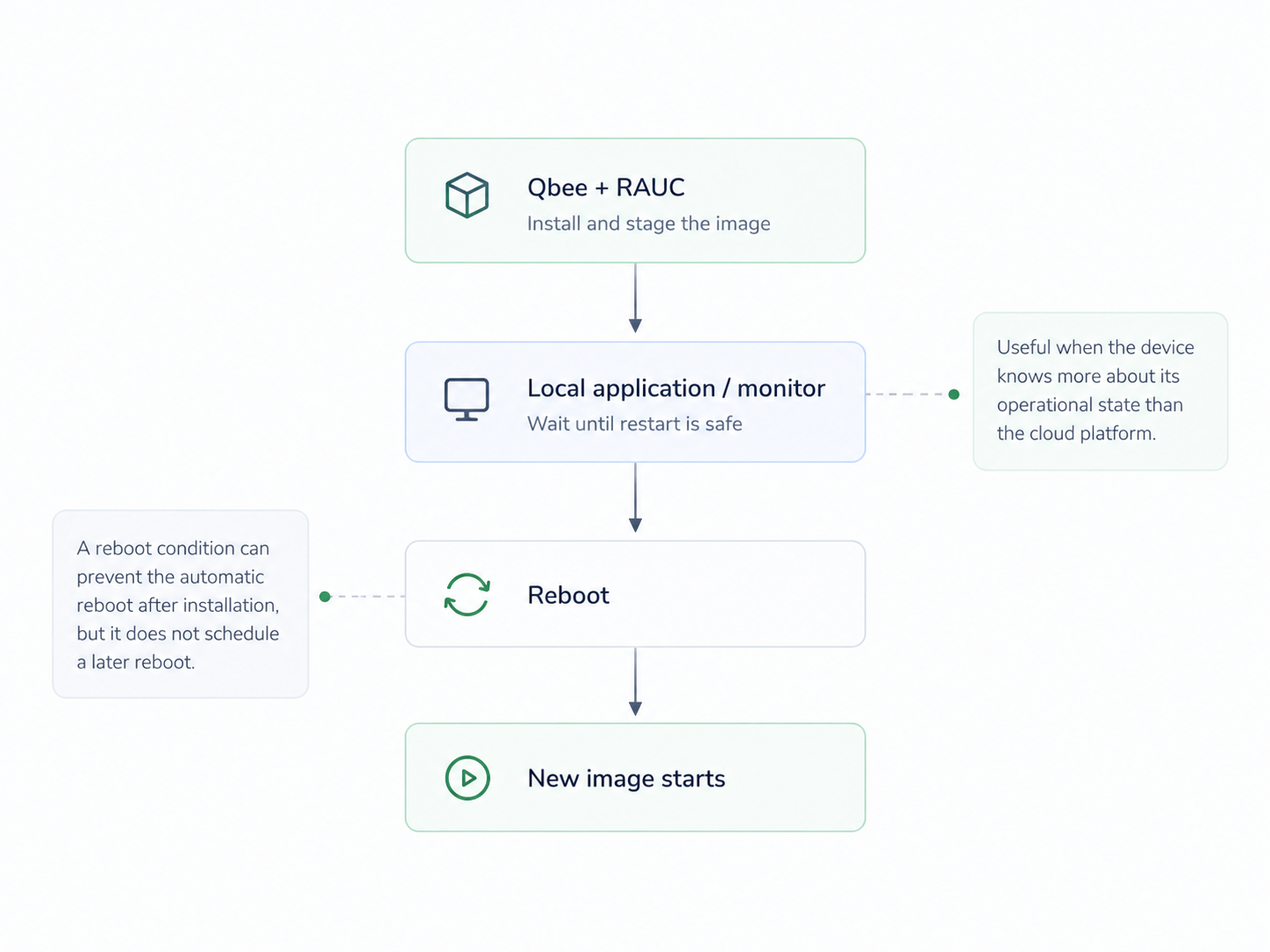
This pattern is useful when the device itself knows more about its operational state than the cloud platform. There is one important consequence: if the new slot is already selected for the next boot, another unrelated reboot may activate it earlier than planned.
A staged update therefore needs an explicit owner for the final restart.
For a Qbee-specific implementation of this pattern, see Flexible RAUC Update Reboot Control.
.png)